2024 – 2026 · Design system · Real Estate, Adevinta
PanotDesignSystem
One design system for Fotocasa and Habitaclia, on web, iOS and Android. Designing for both brands went from nine files to one, with two switches: the brand, and light or dark.
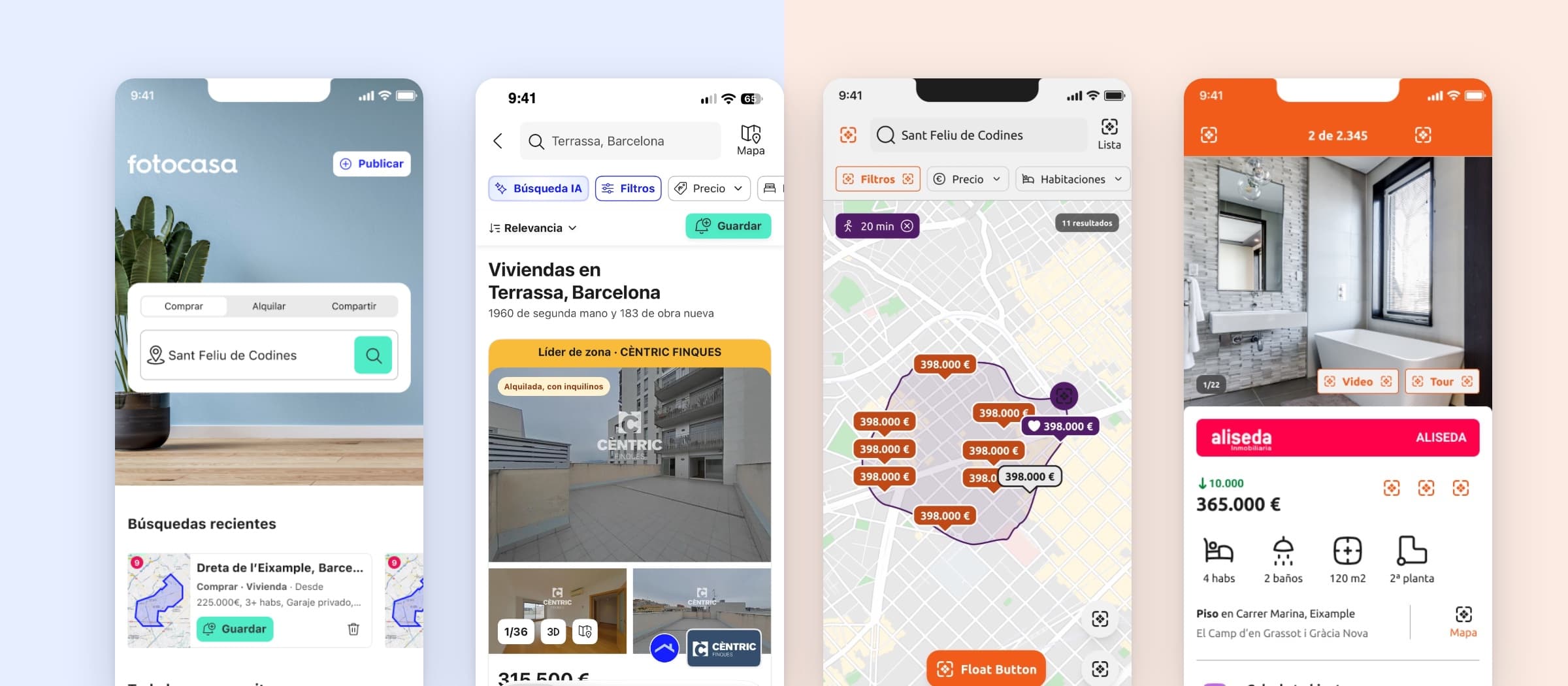
Fotocasa and Habitaclia worked from nine separate files: a Brand Foundations file for each brand, and a component library for every platform — Android, iOS, React and SUI for Fotocasa; Native, React and SUI for Habitaclia. Keeping them in step was too expensive, and what slipped through came back as UX debt.
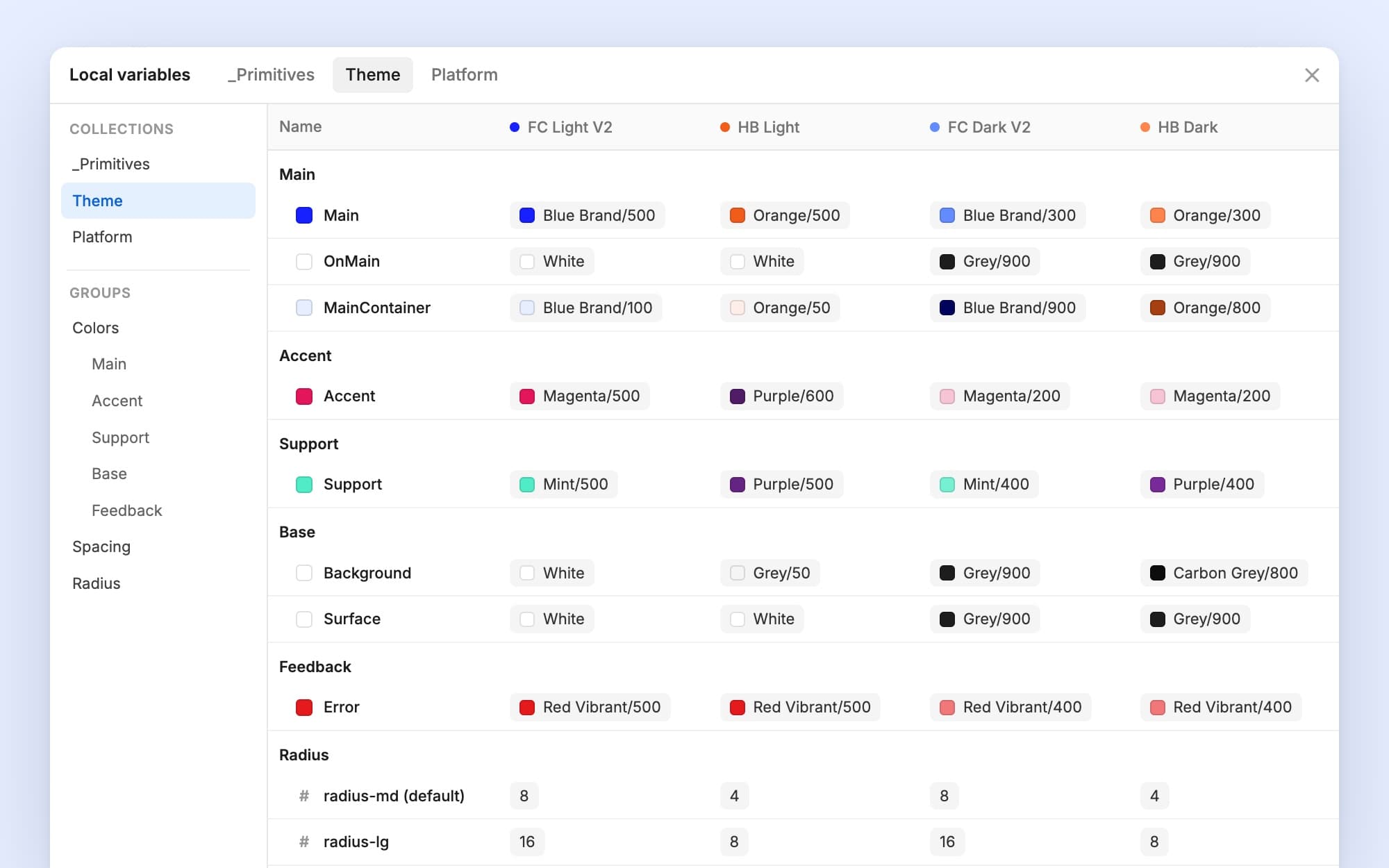
Panot replaced it with one library built on Figma variable modes: tokens in three layers and one set of components that take their look from the brand, the theme and the platform. Within the design system team, my domains were login and registration, attracting users and the users’ area — including the forms, error screens and landings they rely on.
Nine files to one
Before · 9 files
Fotocasa
- Brand Foundations
- Android Components
- iOS Components
- React Components
- SUI Components
habitaclia
- Brand Foundations
- Native Components
- React Components
- SUI Components
After · 1 file
- Foundations, components and key screens
- Fotocasa and Habitaclia
- Light and dark
- Web, Android and iOS
A change used to be repeated across brands and platforms. Now it’s made once, and the modes do the rest.
From a colour to a button
The button points to a token; the token changes with the brand, the theme and the platform.
01 Primitive
Blue Brand/500Orange/50002 Theme
Main · FC
→ Blue Brand/500Main · HB
→ Orange/50003 Platform
FC
Open Sans · Roboto · SF ProHB
Ubuntu everywhere04 Component
ContactarFotocasa · radius 8
ContactarHabitaclia · radius 4
One rebrand, no redraw
We designed the Fotocasa rebrand into Panot as a team; it shipped after I left. A new blue, a new secondary colour and a new typeface arrived as a new theme mode — not as a new library. Habitaclia was frozen, so only Fotocasa moved to the new theme.
FC Light
MainBlue/500
SupportGreen-washed/500
TypeOpen Sans
FC Light V2
MainBlue Brand/500
SupportMint/500
TypeFT Regola Neue
Same components, same screens. The brand changed in the theme layer.
What the library covers
67 component families, 1,879 components, for web, Android and iOS.
Forms
- Input field
- Input phone field
- Text area
- Searchbox
- Autocomplete
- Select
- Select ghost
- Checkbox
- Radio button
- Radio button group
- Switch
- Slider
- Stepper
- Data counter
- Validation code
- Upload
- Photo uploader
Actions & navigation
- Button
- Button glass
- Button social
- Icon button
- Link
- Chip
- Toggle group
- Tabs
- Menu
- Breadcrumb
- Pagination
- Top bar apps
- Top bar web
- Bottom bar
- Action bar
- Command
Content & real estate
- Image
- Carousel
- Accordion
- Collapsible
- Avatar
- Rating
- Banner
- Map
- POIs
- Card recommended
- Card map
- Card alerts
- Card favourites
- Card discarded
- Price & packaging cards
Feedback & overlays
- Alert iOS
- Alert notification
- Snackbar
- Toaster
- Tooltip
- Popover
- Modal apps
- Modal web
- Dialog Android
- Drawer
- Sheet
- Coachmark
- Push card
Status & loading
- Spinner
- Progress steps
- Progress bar
- Progress circle
- Badge
- Tag
How a change reached the code
- ProposeA designer opens a Jira ticket with the change or the new component.
- ReviewDesignOps, who own the system, accept it or send it back.
- UpdateIt lands in Figma and in the in-house component library developers build from.
We documented the system in zeroheight first, then moved to a library of our own.
9 → 1
files: seven component libraries and two brand foundations, merged into one.
2
switches: Fotocasa or Habitaclia, light or dark.
1,879
components across web, Android and iOS.
Under NDA
The full case
The three layers of tokens, the same screen in both brands, my domain and how changes reached the code — with the screens. Password protected — I share it by message.